Construction estimates in minutes, not days.
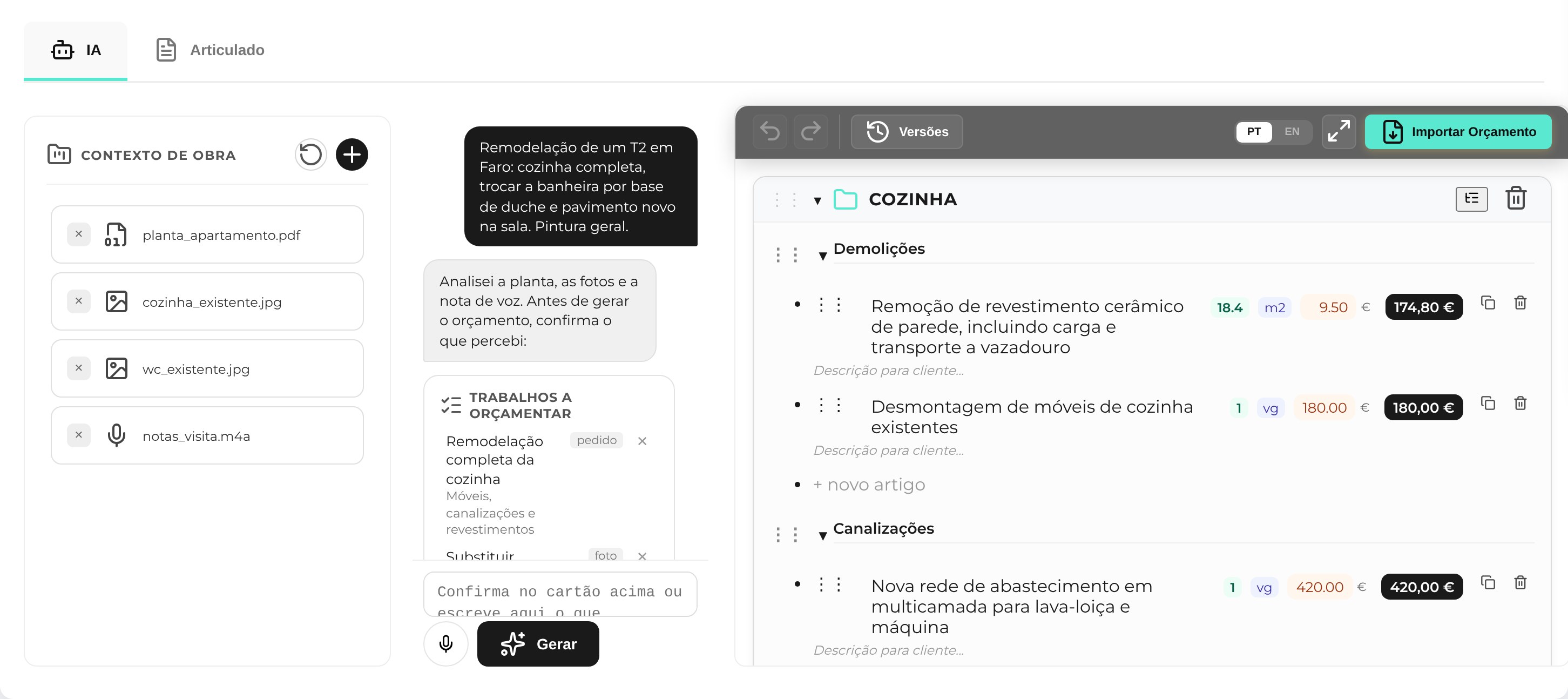
The assistant reads floor plans, photos, voice notes and bills of quantities and prepares the estimate for the job, structured, with quantities and prices, ready to review and send to the customer.
The application interface and the sample documents shown here are in Portuguese.
The problems it solves
How it works
Gather what you collected on site
Floor plans, photographs, voice notes, PDFs or a bill of quantities.
Confirm what the AI understood
The AI shows the work it identified and asks the questions that are missing.
Review and adjust the estimate
Ask for changes in plain language and adjust the margin with a slider.
Send the quote
A PDF with your company’s branding, or Excel in your own template.
The essentials
The AI confirms before it generates
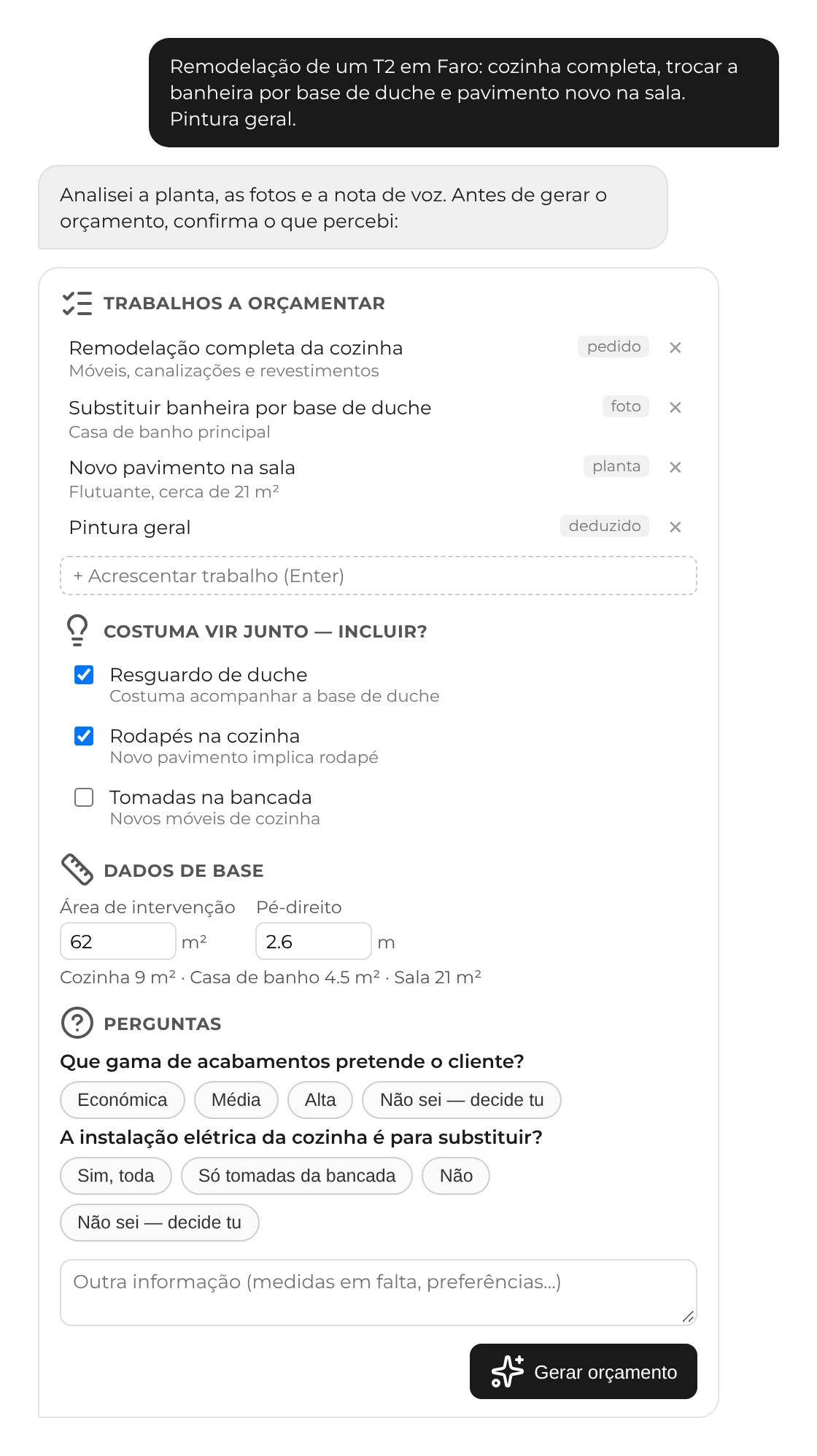
Before producing the estimate, the AI shows what it understood and where each item came from: the request, the floor plan or the photograph.
- It suggests what usually goes together and asks whether to include it
- It asks the missing questions, with options to choose from
Changes by conversation
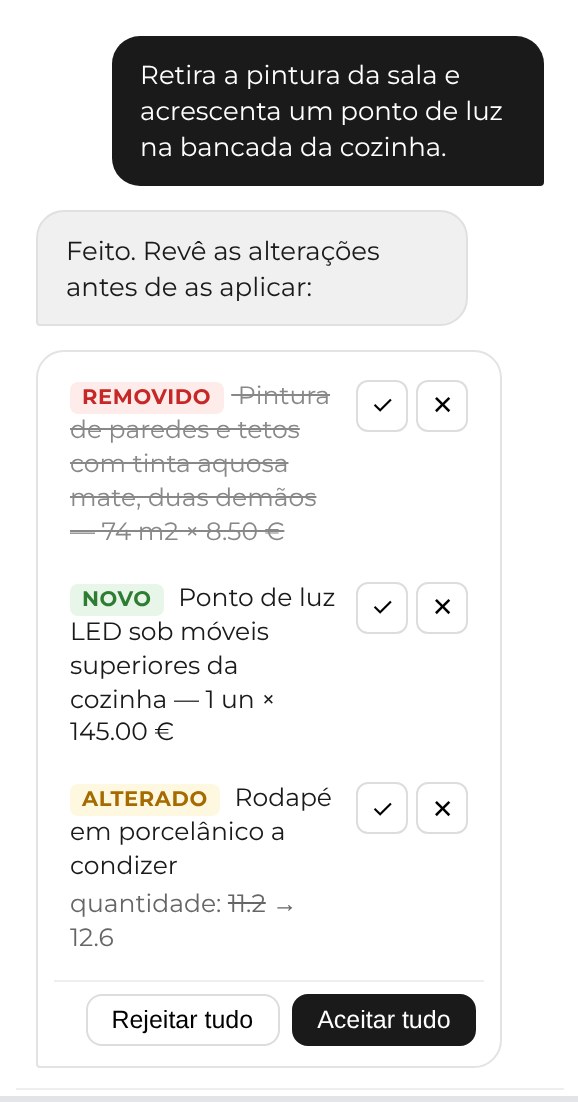
“Remove the living room painting and add a light point.” The AI proposes the changes and you accept or reject each one.
- The rest of the estimate does not move
- Named versions, and undo at any step
Margins without formulas
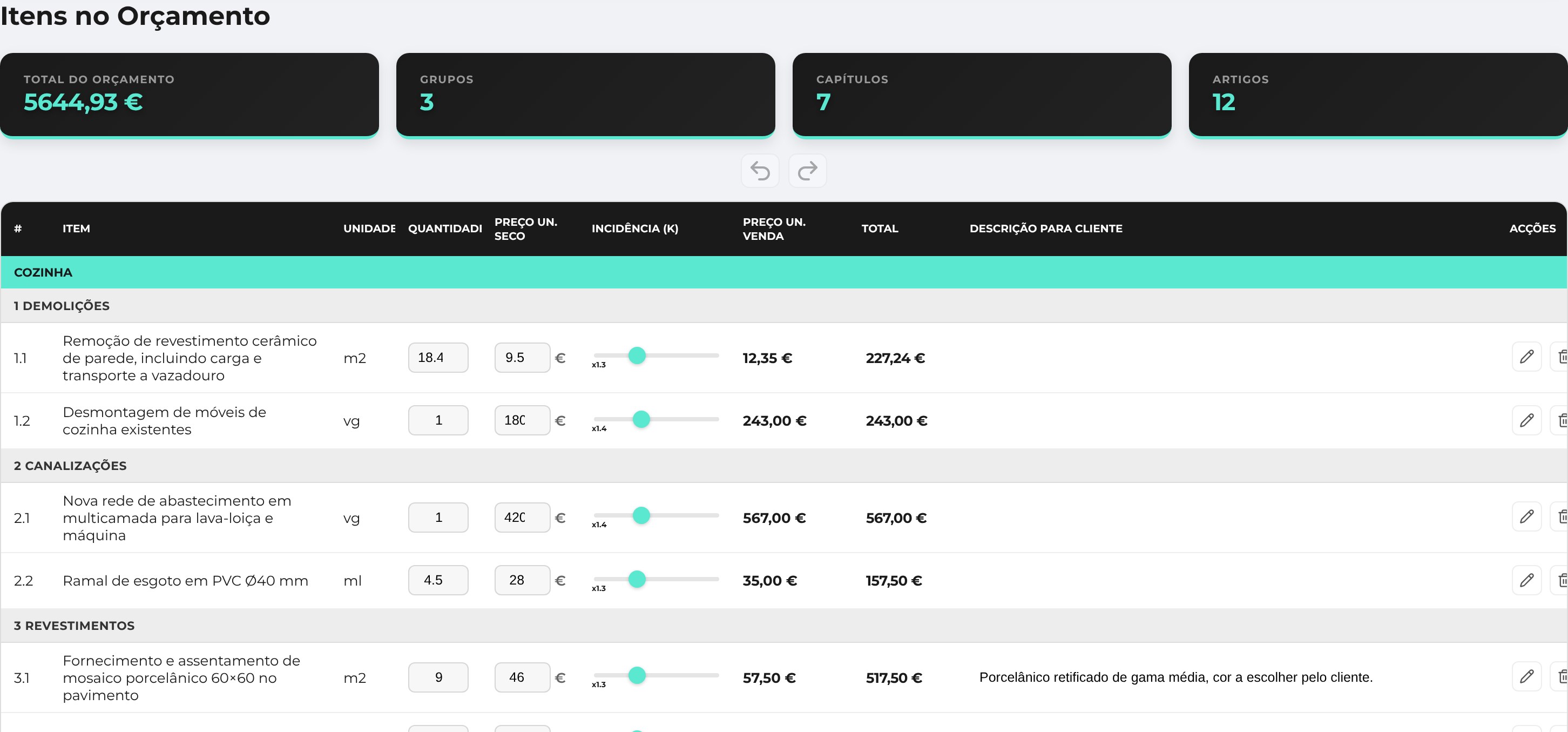
Cost price and selling price side by side, with the total changing instantly.
- A margin slider per item, chapter or group
- Each quantity says where it came from and how it was calculated
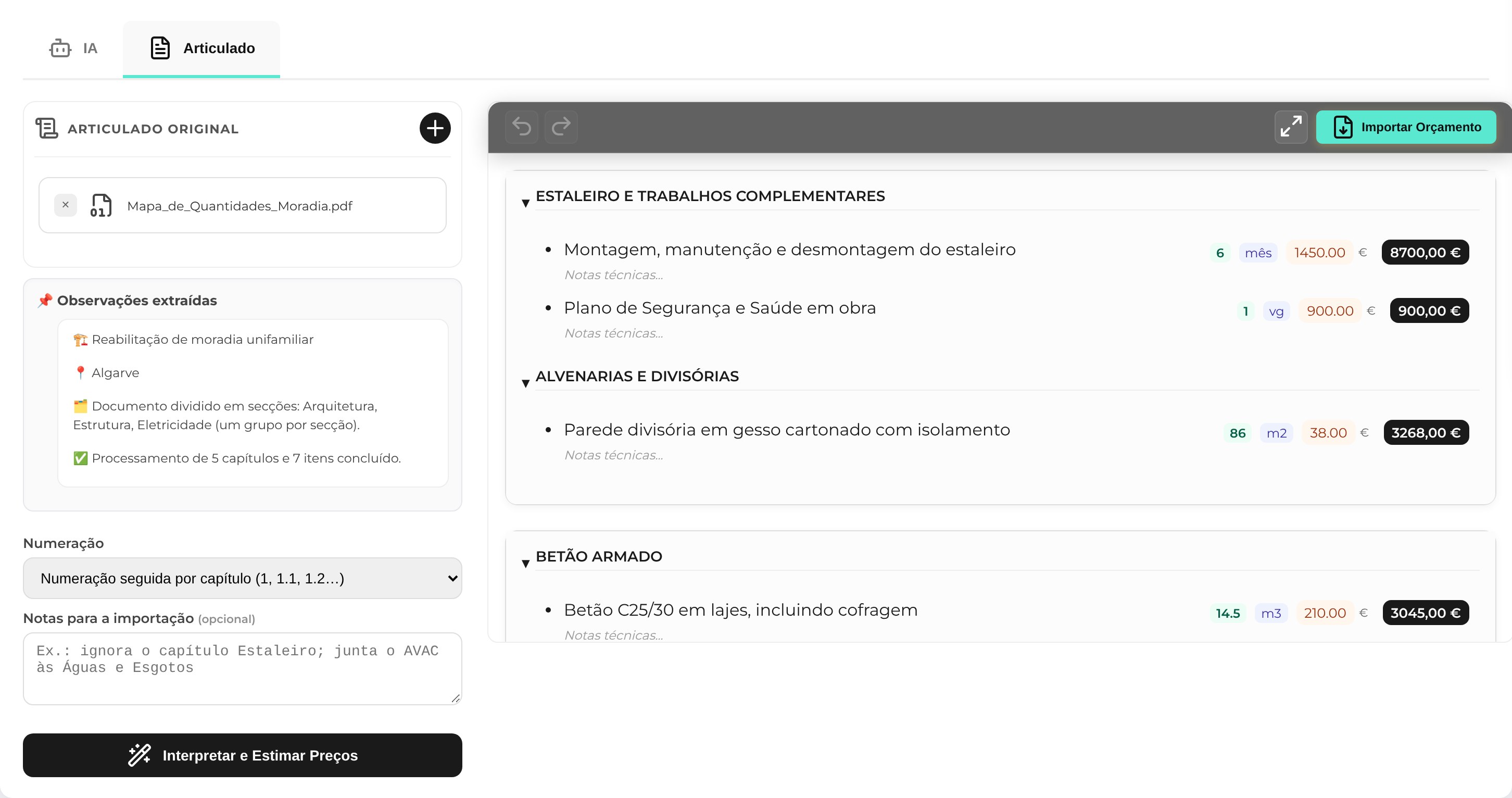
Reading bills of quantities
Import PDF bills of quantities with dozens of pages, from tenders and specifications.
- One group per trade: architecture, structure, electrical, telecoms, plumbing, HVAC
- The original document’s numbering or your company’s own
A professional PDF quote
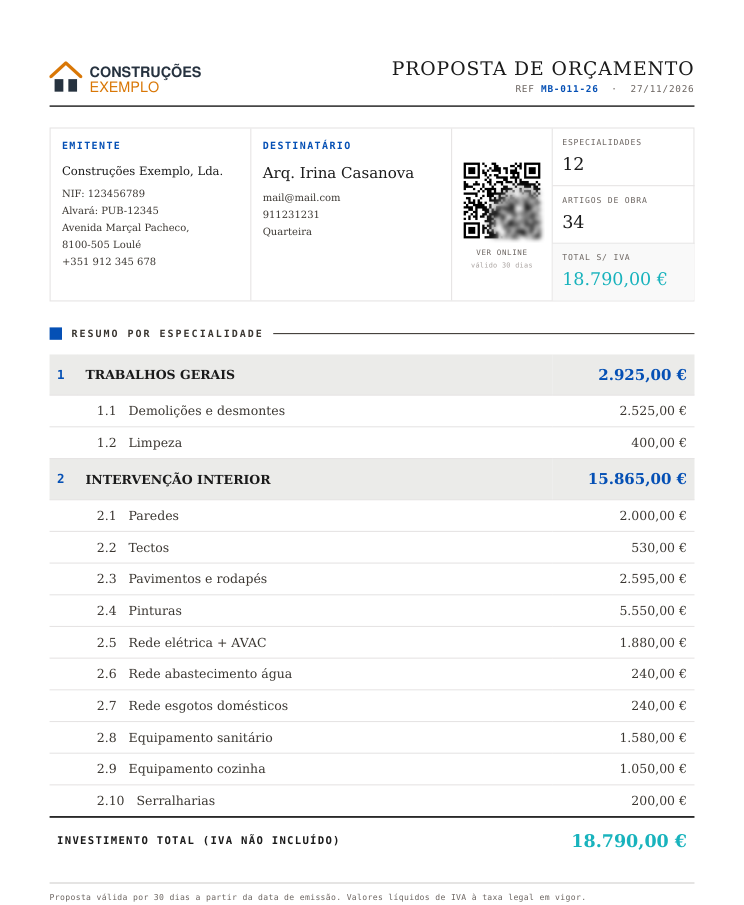
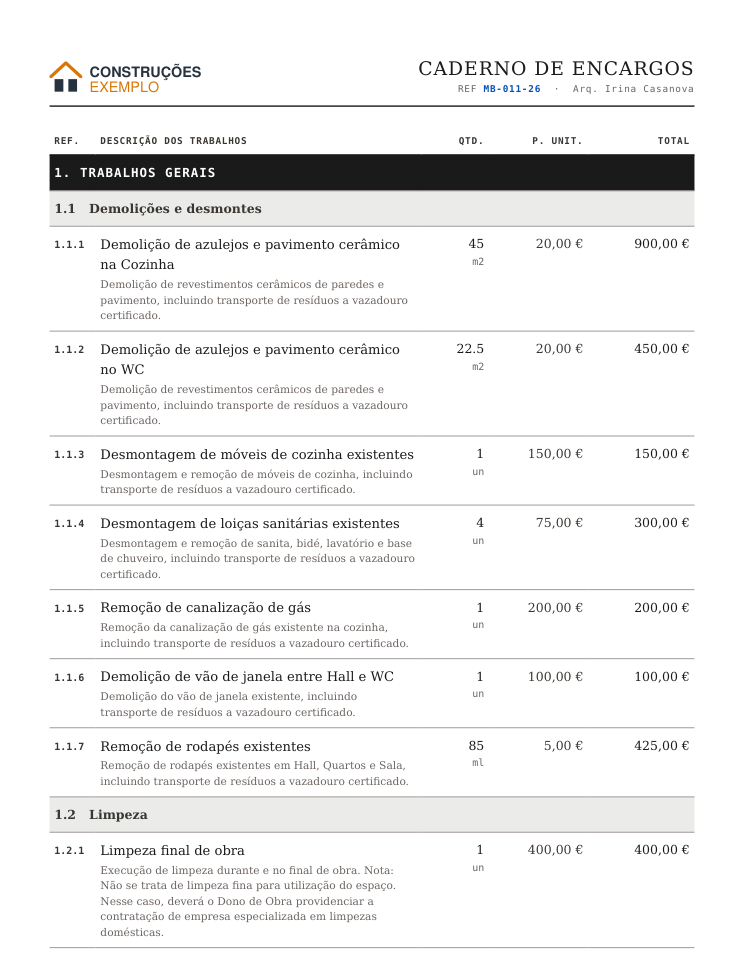
The customer receives a quote with your company’s logo and colours.
- Summary by trade and a detailed schedule of works
- Area of the works, completion time and payment plan
- In Portuguese or in English
With your company’s brand
The application’s colours and logo are customised to your company’s branding, on screen and in the quotes you send to customers.
All features
On site: visits and inspections on a phone
- Site visit: photographs, audio and notes; the AI captions the photos and writes the technical summary, and a PDF visit report comes out
- Site inspection: defects with photos, location and severity; the AI proposes the corrective action and the deadline, and generates the report
- Drafts are saved on the phone, for anyone on site with a weak signal
Sales pipeline and team
- Project board: Draft, Sent, Under negotiation, Awarded and In progress
- Operations dashboard: estimates issued, value quoted and team activity
- Management dashboard: value approved, win rate and quotes stalled for more than 14 days
- Users with an administrator or user role
Export and review
- Excel in the company’s own template, with the estimate and schedule filled in (a custom service)
- An AI review of the estimate before sending, to point out gaps and inconsistencies
- Projects saved in the cloud, with files, conversation and versions
Security and data
- Encrypted passwords and a temporary lock after failed attempts
- Sign out on all devices
- Data kept separate per company and per user
- AI requests processed on Google Cloud infrastructure in the European Union
- Encrypted connection (HTTPS) throughout the application
Who it is for
Renovation and refurbishment
Estimates from the site visit: photos, floor plans and voice notes.
Builders responding to tenders
Import of PDF bills of quantities, with the trades separated.
Estimators and technical directors
They control the margin per item, chapter or group and review everything before sending.
Management
Follows the value quoted, the win rate and the quotes at risk.
Once awarded, the job continues in AI Construction Management.
Frequently asked questions
Does the AI replace the estimator?
No. It produces the first draft and the measurements; the estimator reviews it, adjusts prices and margin and decides what goes to the customer.
Where do the prices come from?
They are reference prices for the Portuguese market, proposed by the AI as a starting point. The company adjusts them and applies its own margin before sending.
Which files can I use?
Floor plans and documents in PDF, photographs, audio recorded on a phone and bills of quantities in PDF.
Does it work with bills of quantities from public tenders?
Yes. The application imports long bills of quantities, including documents divided by trade.
Can the quote carry my company’s branding?
Yes. The application and the PDF are customised with the company’s logo, colours and details. It can also export to the Excel template the company already uses.
Do I need to install anything?
No. It works in the browser: the estimate on a computer, the visit and inspection apps on a phone.
From the site visit to the quote, on the same day.
Request a demo: we show you the application with one of your own jobs and set up your company’s branding.